Back to Projects
SlotWise
Modern study scheduling and review app with spaced-repetition flashcards for effective learning
Next.js
Tailwind
TypeScript
tRPC
PostgreSQL
SlotWise is a modern study scheduling and review application that helps students plan, track, and review their study sessions with spaced-repetition flashcards, smart scheduling and progress analytics. Built with the modern T3-Stack (Next.js App Router + tRPC + Prisma), it delivers an end-to-end type-safe developer experience and a smooth, responsive UI.
Features
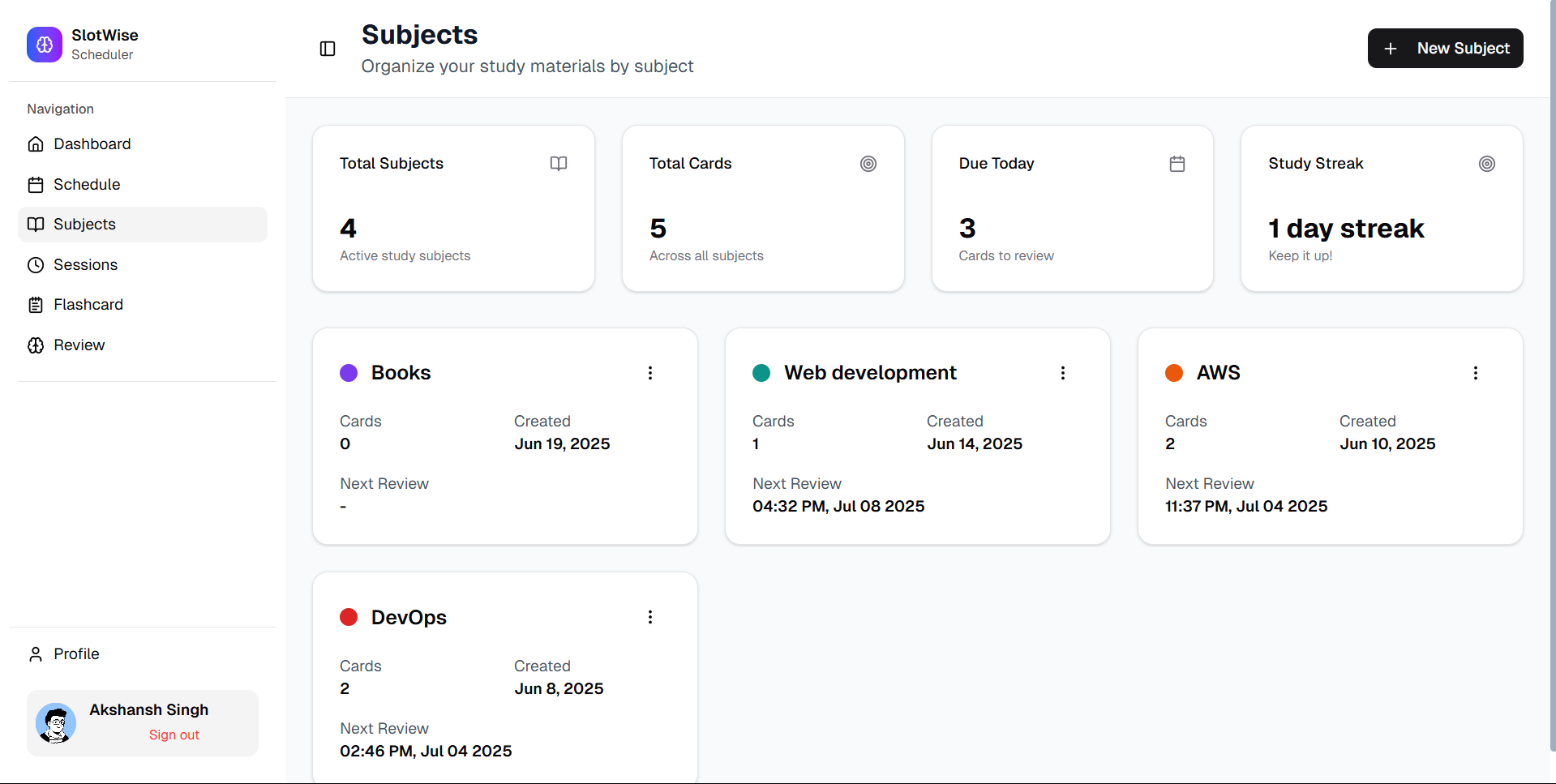
- Subject management: Create and manage all subject and organize different sessions and reviews according to your subjects.
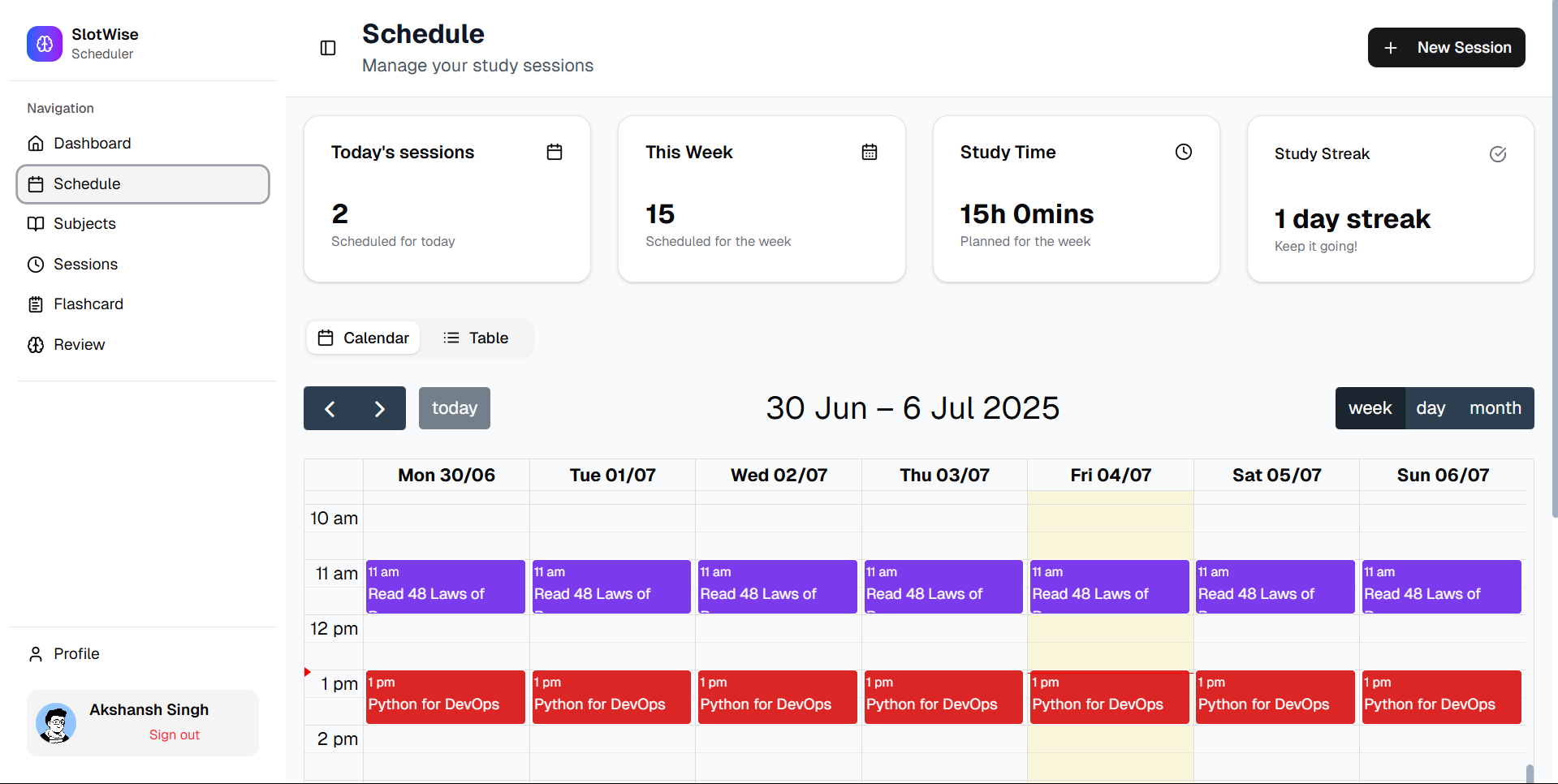
- Session Scheduling: Create and manage study sessions with a rich calendar view.
- Flashcards: Organize and review flashcards by subject.
- Progress Tracking: Log session durations and view stats over time.
- User Profiles: Sign up, sign in, and manage your profile securely with Clerk.
Tech Stack
- Next.js
- React
- TypeScript
- Tailwind CSS
- Prisma
- PostgreSQL
- tRPC
- Clerk
Screenshots
Schedule page
Subjects page
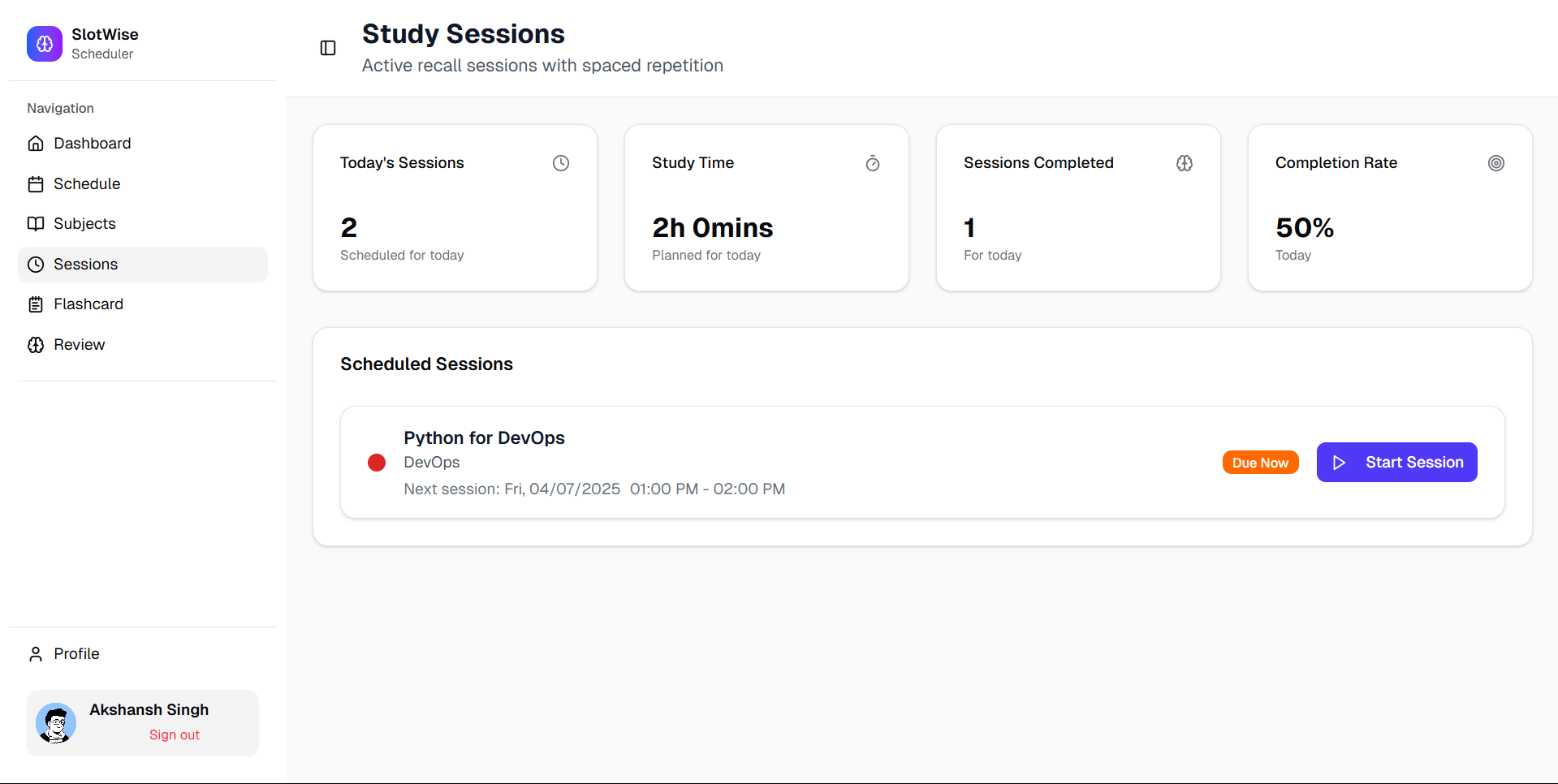
Sessions page
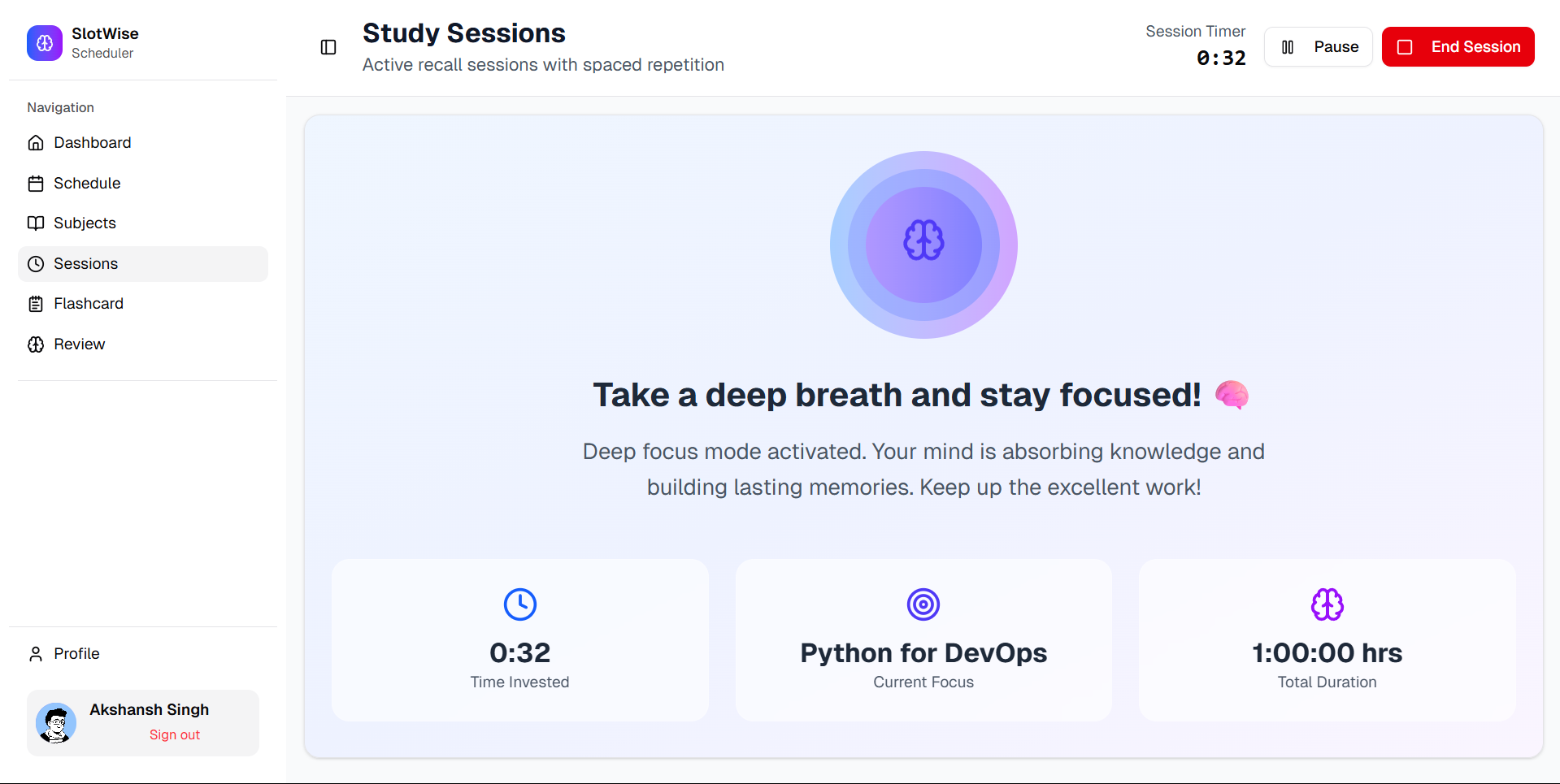
Ongoing session
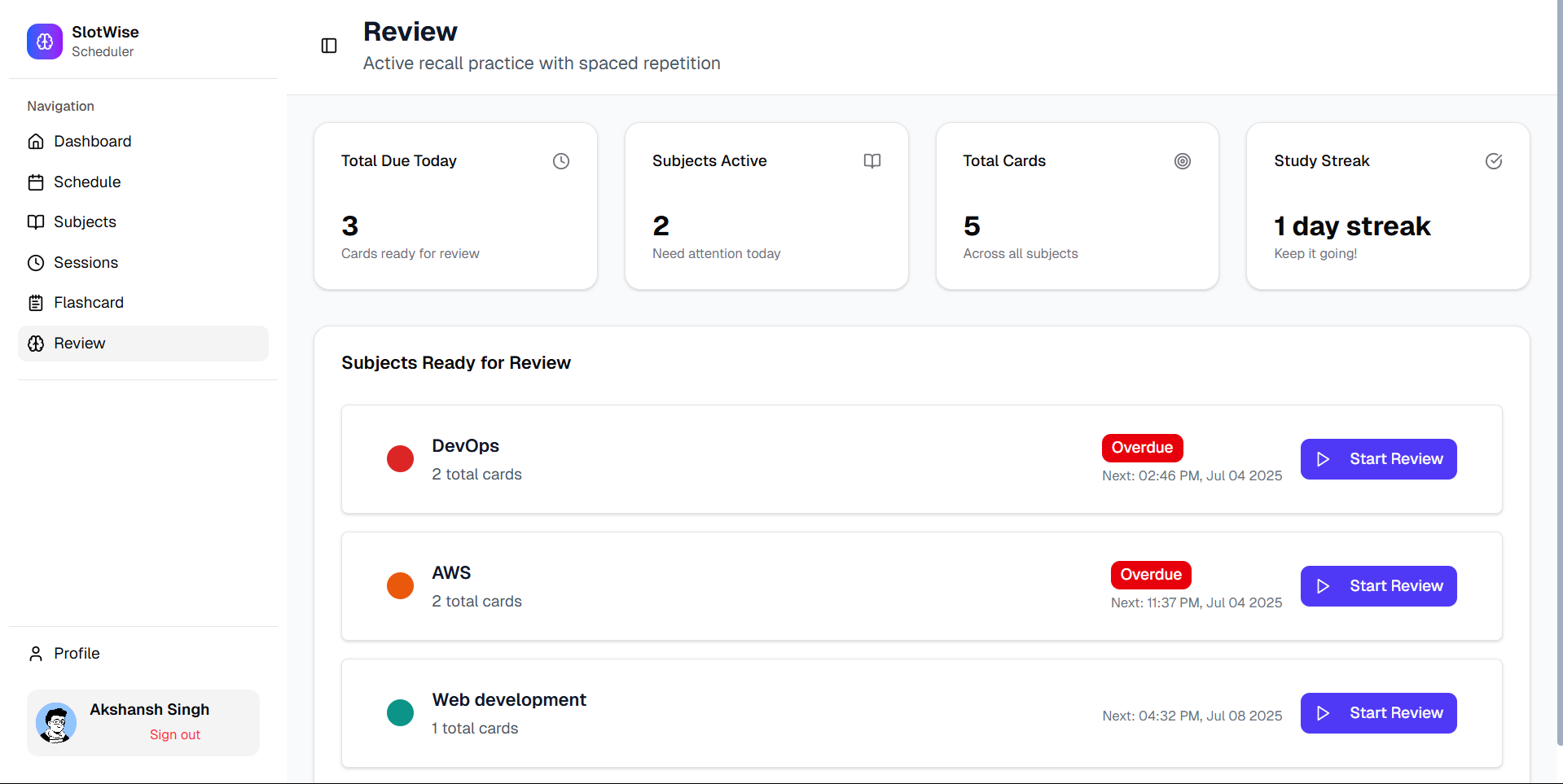
Review page
Usage
1. Create & manage Subjects
- Go to Subjects and create a new subject (e.g., "Power Electronics").
- Each subject is the top-level container for sessions and flashcards.
- Use subjects to group sessions and review items so your study/review history is organized by topic.
2. Schedule study Sessions
- Open the Schedule page (calendar view) to plan sessions:
- Create sessions with date/time, duration, and associate them to a subject.
- Edit or delete scheduled sessions from the calendar.
- Scheduled sessions will appear in your Sessions list and on the calendar for quick access.
3. Start a Session & Track time
- From Sessions or the calendar, start an ongoing session:
- The app tracks session duration and lets you pause/resume.
- When a session ends you can log the completed time which feeds into progress analytics.
- Ongoing session UI shows timer and quick controls.
4. Create Flashcards & Review (Spaced Repetition)
- Create flashcards under a subject (front/back format).
- Enter the Review page to run spaced-repetition reviews:
- The review flow presents flashcards, records your recall score, and schedules the next review according to the algorithm.
- You can review by subject or run a mixed review session.
5. View Progress & Analytics
- Head to Dashboard / Profile to see:
- Total study time, session counts, and trends over time.
- Use analytics to spot weak topics and adjust schedules.